Browser Ports & Remakes
Bridgeplay Free Fork Released for Windows Games on Mac Steam
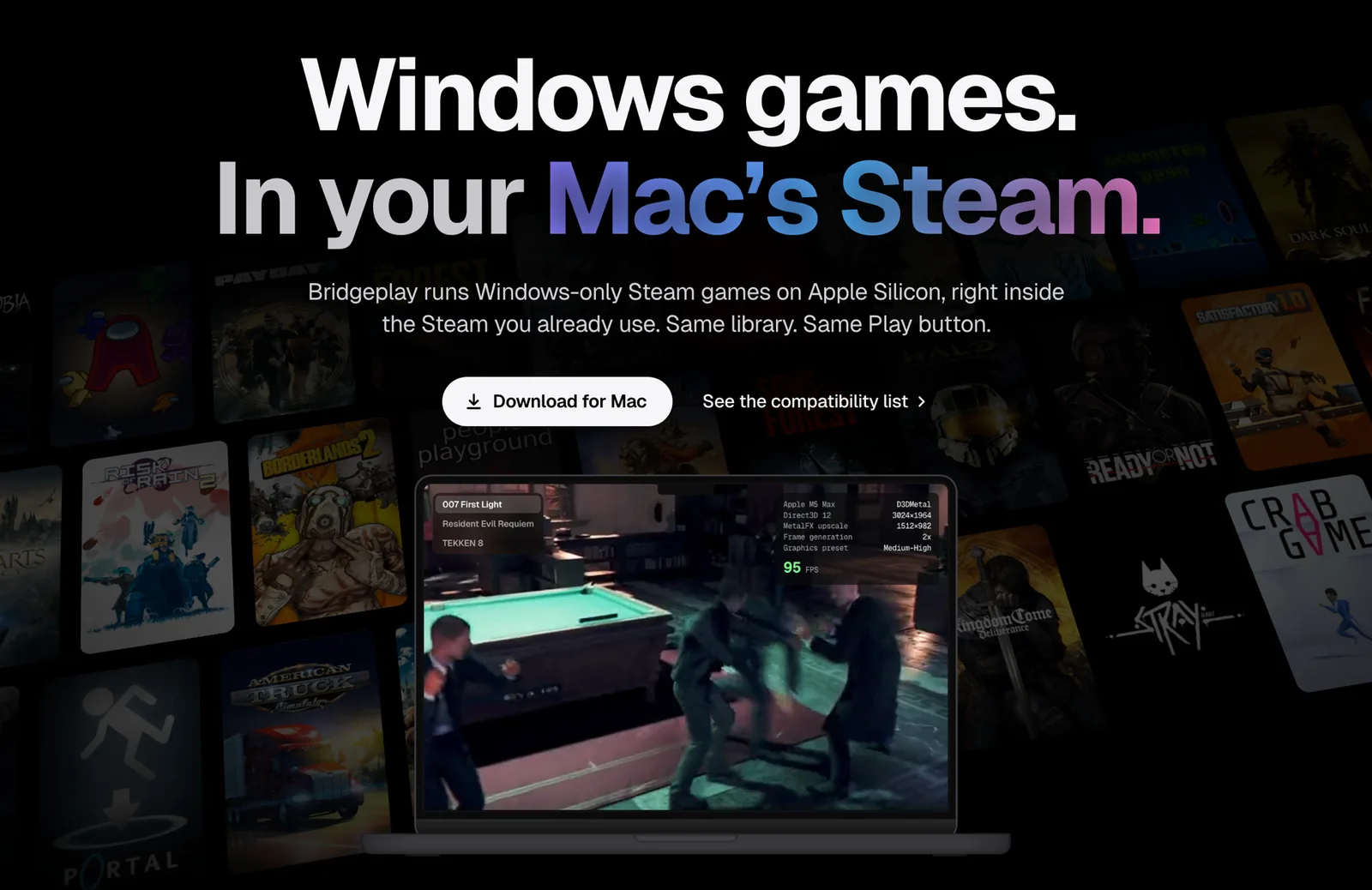
A new free fork allows players to run Windows-only Steam games on Apple Silicon using CodeWeavers' Wine and Apple's Game Porting Toolkit.

Key points
- Bridgeplay has been released as a free fork of NotProton on GitHub.
- The project is built using the Scala language and licensed under the GPL-3.0 license.
- It is designed to run Windows-only Steam games on Apple Silicon directly inside the Mac's existing Steam application.
Mac gaming has historically felt like a series of awkward compromises. Players who prefer macOS often find themselves staring at vast libraries of Steam titles tagged exclusively for Windows. While translation layers and virtual environments have existed for years, setting them up typically requires bouncing between separate configuration utilities, custom containers, or complex secondary launchers. A new open-source utility aims to streamline that experience directly within the standard Mac desktop environment.
Developer raymondchins has officially released Bridgeplay, a free fork of NotProton designed to let players launch Windows-only Steam games on Apple Silicon hardware1. Instead of forcing users to manage separate software bottles or launch secondary management applications, Bridgeplay works directly inside the standard macOS Steam application1. The project is hosted on GitHub, offering a new path forward for Mac owners looking to access their existing PC game catalogs without leaving their primary storefront interface1.
By leveraging existing translation tools under the hood, the project focuses on reducing the setup friction that usually deters casual players from exploring PC titles on macOS1. It merges popular translation components into a cohesive workflow that keeps the user experience centered inside Steam1. For anyone who has spent hours tweaking configuration files just to get a single indie classic to boot, this release represents a significant shift toward convenience.
Technical Architecture and Integration Details
At its core, Bridgeplay relies on a combination of CodeWeavers' Wine translation layer and Apple's Game Porting Toolkit to execute Windows binaries on Apple Silicon1. The software handles the underlying translation requirements quietly, allowing Windows titles to appear alongside native games in the user's standard Steam interface1. Players interact with the exact same game library and press the familiar Play button they use for native Mac releases, eliminating the need to set up individual bottles or open a third-party management program before launch1.
The codebase for Bridgeplay is written primarily in the Scala programming language and distributed under the GNU General Public License v3.0 (GPL-3.0)1. Because it is released under an open GPL-3.0 license, the source code remains fully accessible for community inspection, modifications, and contributions on GitHub1. The repository includes comprehensive documentation links alongside badges tracking its official website and GitHub stargazer count1.
The design choice to fork NotProton and focus entirely on native Steam client integration sets Bridgeplay apart from traditional container-based tools1. Rather than wrapping games in isolated desktop wrappers that clutter the operating system, Bridgeplay anchors its functionality to the Steam client itself1. This architecture preserves cloud saves, achievements, and time tracking through the standard Steam interface while running the Windows versions of games on Apple Silicon hardware1.
The Components Behind the Bridgeplay Fork
Building a dedicated software translation solution for macOS requires standing on the foundation of several major open-source and proprietary software projects. Bridgeplay functions specifically as a free fork of NotProton, taking the core concepts of that project and refining them for direct Steam integration on modern Apple hardware1. By relying on CodeWeavers' Wine, the application benefits from decades of community work spent translating complex Windows API calls into UNIX-compatible system instructions1. This layer allows software designed for Microsoft operating systems to interpret storage, input, and basic memory commands on a Mac1.
The inclusion of Apple's Game Porting Toolkit provides another critical layer of modern graphics translation, helping Apple Silicon chips interpret DirectX graphics commands efficiently1. By combining these translation tools inside a Scala-based framework, developer raymondchins has built a specialized pipe between the macOS Steam client and Windows game executables1. The GPL-3.0 licensing structure guarantees that these combined software improvements remain fully open for the broader gaming and developer community to study, modify, and expand over time1.
Practical Impact for Apple Silicon Players
For players who own Apple Silicon hardware, Bridgeplay offers a straightforward way to unlock vast backlogs of Windows-only Steam releases without buying dedicated PC hardware. Anyone who previously hesitated to deal with virtual machines, complex bottle managers, or command-line setups can now approach their Windows library through the familiar Mac Steam interface1. It simplifies the process to a degree that makes testing unsupported games far less intimidating for non-technical users who simply want their games to launch smoothly1.
Players interested in trying the tool should check the project's GitHub repository for initial setup instructions and system requirements1. Since translation layers depend heavily on ongoing graphics driver updates and engine compatibility, keeping an eye on repository documentation and community stargazers will be important for tracking bug fixes and newly supported titles1. Anyone managing a growing library of Windows games on an Apple Silicon Mac will want to bookmark the project to see how its compatibility evolves over upcoming development cycles1.
Apside's take
I have been following the Mac gaming translation scene for years, and nothing frustrates me more than software that forces you to jump through four different launchers just to play a single indie title. Seeing Bridgeplay target the native Steam interface directly is exactly the kind of practical thinking the community needs. When a tool lets you click the standard Play button inside your existing library, it removes a massive psychological barrier for anyone who just wants to sit down and enjoy a game without spending an hour configuring software environments.
What really captures my attention is the choice to keep this completely open source under GPL-3.0 while using Scala1. Combining CodeWeavers' Wine with Apple's Game Porting Toolkit inside a fork of NotProton shows just how fast community-driven development can adapt when given the right underlying blocks1. I am genuinely curious to see how far the community pushes this codebase, especially as Apple Silicon hardware continues to gain traction among everyday gamers.
My main hope moving forward is that clear documentation and stability stay top priorities for the project. Open-source tools like this live or die by how easily everyday gamers can get them running without troubleshooting obscure terminal errors or broken dependencies. If raymondchins and the open-source contributors can keep the setup friction as low as the interface integration promises, Bridgeplay could become a permanent fixture on my Mac gaming recommendation list.
Sources
- Bridgeplay: Free fork of NotProton: Windows Steam games in Mac Steam, on CodeWeavers' Wine and Apple's Game Porting ToolkitofficialGitHub: raymondchins/Bridgeplay


Comments
Sign in to comment and like